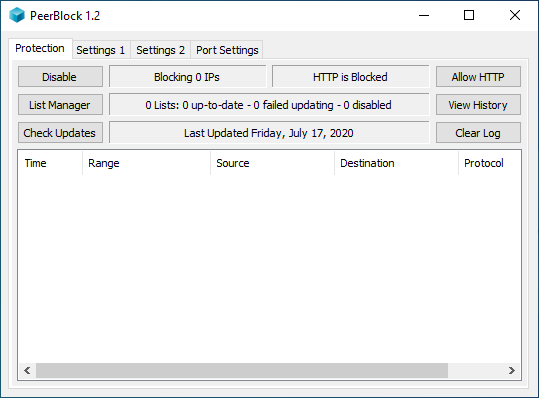
Here are all the changes that have gone into PeerBlock 1.0+ (r320) since r277 was released.
Major Changes
These changes are deemed "major", either because they change the way you'd expect PeerBlock to operate based on previous versions, or because they're fixing an exceptionally nasty bug. If you've already reviewed the list of changes from the r320 Download page, then this section will be redundant for you - feel free to skip ahead to the Minor Changes section.
- Fix for List-Download Crash - This should resolve the "PeerBlock randomly crashes / disappears overnight" problems. It had been crashing occasionally, on some people's computers, while checking for updatedlists.
- Save Failed Lists - If a newly downloaded list fails verification, we'll now save that file as "...\lists\numnumnum.list.failed".
- Warn if Exit While Blocking Recently - When you attempt to exit PeerBlock, if we've blocked some non-HTTP packet recently (i.e. within the past 60 seconds), we will pop up a warning message. This 60 second value is configurable by hand-editing peerblock.conf via Notepad - change the RecentBlockWarntime setting from 60 to however many seconds you'd like; 0 disables this feature.
- Force PeerBlock to Start Enabled - If PeerBlock was disabled when you last exited it, it will now start as Enabled the next time you restart it.
- Allow HTTP for X minutes - The systray right-click menu has two new options: "Allow HTTP for 15 minutes" and "...for 60 minutes". After the specified amount of time has passed, PeerBlock will revert to Blocking HTTP again.
- Click on tray icon to minimize window - Previously, left-clicking on the systray icon would merely display the PeerBlock window . . . even if it was previously displayed. Now, if the window is currently displayed left-clicking on the tray-icon will minimize it; and if the window is currently minimized, it will restore it.
Minor Changes
These changes should impact you less than the previously-mentioned ones, but are still things that have gone in recently in case you're interested.
- Updated Libs - Updated libcurl and boost to new versions.
- Added additional Atma list URLs for dupe-checking - Some of the additional URLs from which the Atma list could be downloaded weren't present in our duplicates-checking code, so we wouldn't previously have added these URLs.
- Installer Changes - Increased decompression speed, added copyrights to files.
- Correctly handle \??\C:\WINDOWS\System32\DRIVERS type paths - Previously, we'd had some issues in which on some peoples' machines the path to ipfltdrv.sys (XP/2000 only) was showing up as the above.
- Prevent "Double Updates" - Previously, PeerBlock could pop up the Checking for Updates window twice when you start it. This could happen if you'd not run PeerBlock for a few days, and had the Update at Startup option selected.
- Compare URLs Against Entire String - Previously we were only checking against partial string matches, so that we were incorrectly matching URLs for certain country-codes (like Bhutan).
- Signed Uninstaller - Our uninstaller is now signed. Not that you'd ever want to uninstall PeerBlock of course, right...?
- Additional Tracing Code for Issue #183 - Added some additional tracelogging code to help chase down Issue #183, in which PeerBlock hangs while "deleting tray icons" during exit. If you are one of the "lucky few" who have encountered this issue in the past (I don't believe anyone on the Test Team has however), please attempt to repro this problem and post your logs!
- Don't blink on UDP port 80/443 blocks - Previously, some people had noticed that the systray icon would start blocking as if it had blocked an HTTP packet . . . except that HTTP was allowed. Turns out the problem was that Allow HTTP only allows TCP connections on ports 80 or 443, while the Blink code was also being triggered by UDP connections on ports 80 or 443.
- Don't display Update Window if neither Update Lists nor Update PeerBlock is selected - Previously, if you had both Update Lists and Update PeerBlock deselected, when you clicked "Check Updates" an empty window would appear for a split second.
- Added TBG list URLs to list-add sanity-check - The URLs from the main TBG site had not previously been added to PeerBlock, so we wouldn't have caught e.g. duplicate list additions had those URLs been used. If you add these URLs, they will now be flagged as "Not iblocklist.com URLs". (We had to pick something, and this seemed to make the most sense...)
You can also find our complete changelog - with diffs for each change - over on Google Code. Some trivial changes, stuff like updates to our Credits text, we didn't feel are worth calling attention to here.