This is our latest Beta Release, released March 9, 2010.
Beta Releases contain newer fixes and features than our Stable Releases, and by definition not necessarily as stable. While we have tested them out internally, until they've been included in Beta Releases for awhile we won't really consider them to have received enough "airtime" to be considered ready for inclusion in a new Stable Release. They are also released much more frequently than Stable Releases, generally once every few weeks (instead of once every few months) - if the frequency of update notices annoys you, install a Stable Release instead!
What's New
Here are the major changes since the most recent Beta Release, r277:
- Fix for List-Download Crash - This should resolve the "PeerBlock randomly crashes / disappears overnight" problems. It had been crashing occasionally, on some people's computers, while checking for updated lists.
- Save Failed Lists - If a newly downloaded list fails verification, we'll now save that file as "...\lists\numnumnum.list.failed".
- Warn if Exit While Blocking Recently - When you attempt to exit PeerBlock, if we've blocked some non-HTTP packet recently (i.e. within the past 60 seconds), we will pop up a warning message. This 60 second value is configurable by hand-editing peerblock.conf via Notepad - change the RecentBlockWarntime setting from 60 to however many seconds you'd like; 0 disables this feature.
- Force PeerBlock to Start Enabled - If PeerBlock was disabled when you last exited it, it will now start as Enabled the next time you restart it.
- Allow HTTP for X minutes - The systray right-click menu has two new options: "Allow HTTP for 15 minutes" and "...for 60 minutes". After the specified amount of time has passed, PeerBlock will revert to Blocking HTTP again.
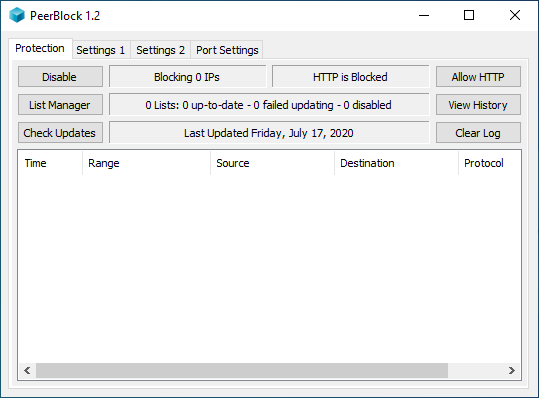
- Click on tray icon to minimize window - Previously, left-clicking on the systray icon would merely display the PeerBlock window . . . even if it was previously displayed. Now, if the window is currently displayed left-clicking on the tray-icon will minimize it; and if the window is currently minimized, it will restore it.
Additional minor changes can be found on the r320 Changes page.
Get it Here
This is the latest PeerBlock Beta, labelled "1.0+" since it's a post-1.0 pre-1.1 release. This is the recommended download for most users.
- PeerBlock 1.0+ (r320) Installer - for Windows 2000, XP, Vista, and 7 (all editions)
If you're new to PeerBlock, you should consider at least skimming through our online User Manual, especially our Frequently Asked Questions page.
Installation
Just download the above .exe file and run it, and it will take care of everything for you!
The above installer will work fine, regardless of whether you're installing on a "fresh" system or upgrading from a previous Beta (or Stable) Release. If you at some point decide to switch to a Stable Release, you can simply run that installer and it will easily downgrade you. Just remember that if you have PeerBlock running on your machine you'll need to stop it in order for the upgrade install to complete - the installer should remind you of this.
Other Download Options
If you'd rather not use the Installer based version of PeerBlock, you can instead download a "Portable" .zip version. Those files, along with checksum information for all our files if you'd like to verify that your download hasn't been corrupted, can be found on our Other Downloads page.
Looking to Hire?
PeerBlock's lead developer, Mark Bulas, was laid off from his job recently and is currently looking for a fun company to work at. Is your company based in New York City or on Long Island, and looking for a bad-ass C/C++/C# programmer to work on a cool project? Please forward a pointer to this resume (also available in MS Word format) to the hiring manager, and/or contact Mark via email!
Thanks!
Thanks again for helping test out these Beta Releases, and helping make them as solid as possible before our next Stable Release! Speaking of which, we're working towards releasing this as a new Stable Release sometime around the end of March or early April - if you have run into any problems, please make sure you let us know - be it in our forums, our issue tracker, or even via email.
--- Mark ---